
The Request Management System: Taking IT’s Best Practices and Making It a Universal Business Tool
2 December 2025
updated at: 3 December 2025
Technical support has come a long way from just being the place where you log a ticket when something breaks. Today, the systems used to manage those requests are helping to automate work across every single department in a company — from the IT team all the way to accounting.
Let's talk about how you can use international ITIL practices and the principles of Enterprise Service Management (ESM) to transform your messy communication channels into a single, unified digital environment. A place where employees get the services they need fast, and managers can actually see the real workload of their specialists and the quality of work they're delivering.
What is a Request Management System?
A request management system is a digital tool for receiving, processing, and keeping track of user inquiries. Traditionally, companies used these systems to automate their IT Help Desk or to centralize requests in Shared Services Centers.

But the modern approach to request management is based on Enterprise Service Management (ESM) principles. ESM takes the process of handling inquiries to a whole new level by applying the proven service management practices of ITIL. With this approach, the platform doesn't just log a ticket; it builds a complete system for delivering services. An ESM platform automatically figures out what kind of request it is and sends it down the right path.
For example, if someone needs to book vacation time or get a new laptop, the system treats it as a service request. But if a user reports that a critical program has crashed, it classifies it as an incident for the tech support team.
When an incident pops up, the platform kicks off an investigation into why it happened. Specialists don't just fix the immediate problem; they work to prevent it from happening again, which helps to constantly improve the quality of services in a continuous loop.
Unlike basic systems that just log tickets, an ESM platform automates the entire lifecycle of a request: from the moment it's created to the moment it's closed. It comes with ready-made templates for common requests, a knowledge base for both users and specialists, and powerful tools for analytics and service quality control.
Key Functionality of a Request Management System
The features of a request management system are designed to reflect the fundamental processes of ITSM that ensure high-quality service.
Registering and Routing Requests:
- It automatically gathers requests from everywhere: the self-service portal, emails, and chat apps.
- It distributes these inquiries to the right specialists based on their skills and current workload.
- It uses rules you set up to automatically classify and prioritize requests.
Managing Queues and Assignments:
- It keeps an eye on deadlines.
- It automatically notifies people when they have a new task.
- It can even re-assign requests if the standard response time is blown.
Knowledge Base and Self-Service:
- It lets you create and update articles for users and your own specialists.
- It can automatically suggest solutions for common problems.
- It provides a self-service portal with a full service catalog and knowledge base.
Service Quality Control:
- It monitors whether requests are being processed on time.
- It collects feedback from users.
- It gives you analytics on resolution times and user satisfaction.
Managing Service Levels:
- It lets you set up Service Level Agreement (SLA) metrics.
- It automatically monitors if you're meeting those SLAs.
- It generates reports on how well you're sticking to your agreements.
Service Catalog:
- It provides a structured list of every service available.
- It lets you set up approval processes for different types of services.
- It automates standard service requests.

Benefits of Implementing a Request System
- Increased speed: Automating routine processes frees up your employees to solve the hard tasks. The system assigns priorities and distributes requests on its own, which means critical incidents get a faster reaction.
- Improved user experience: A convenient self-service interface lets employees create requests and track their status themselves. They get real-time notifications about changes and can quickly find the info they need in the knowledge base.
- Minimized downtime: The system helps you quickly find and fix the root causes of recurring problems. Analyzing incidents lets you prevent failures before they happen, making all your systems more stable.
- Data-driven management: Built-in analytics show you exactly how busy your specialists are, how long requests take, and other quality metrics. Managers get the full picture and can make decisions based on hard numbers.
Which Processes Can It Automate?
A modern ESM platform automates a huge range of processes — from simple requests to a shared service center to complex ITSM tasks. SimpleOne offers ready-made solutions for different departments and the back-office.
ITSM Processes:
- Incident and Service Request Management
- Change and Release Management
- Problem and Configuration Management
- Service Level and Knowledge Management
- Service Catalog Management
- And more.
Processes for Business Units:
- HR: Vacation requests, recruiting, employee training.
- Admin Department: Ordering security passes, organizing business trips, office supplies.
- Finance: Approving contracts, processing invoices, tracking expenses.
- Legal: Legal review, preparing documents, consultations.
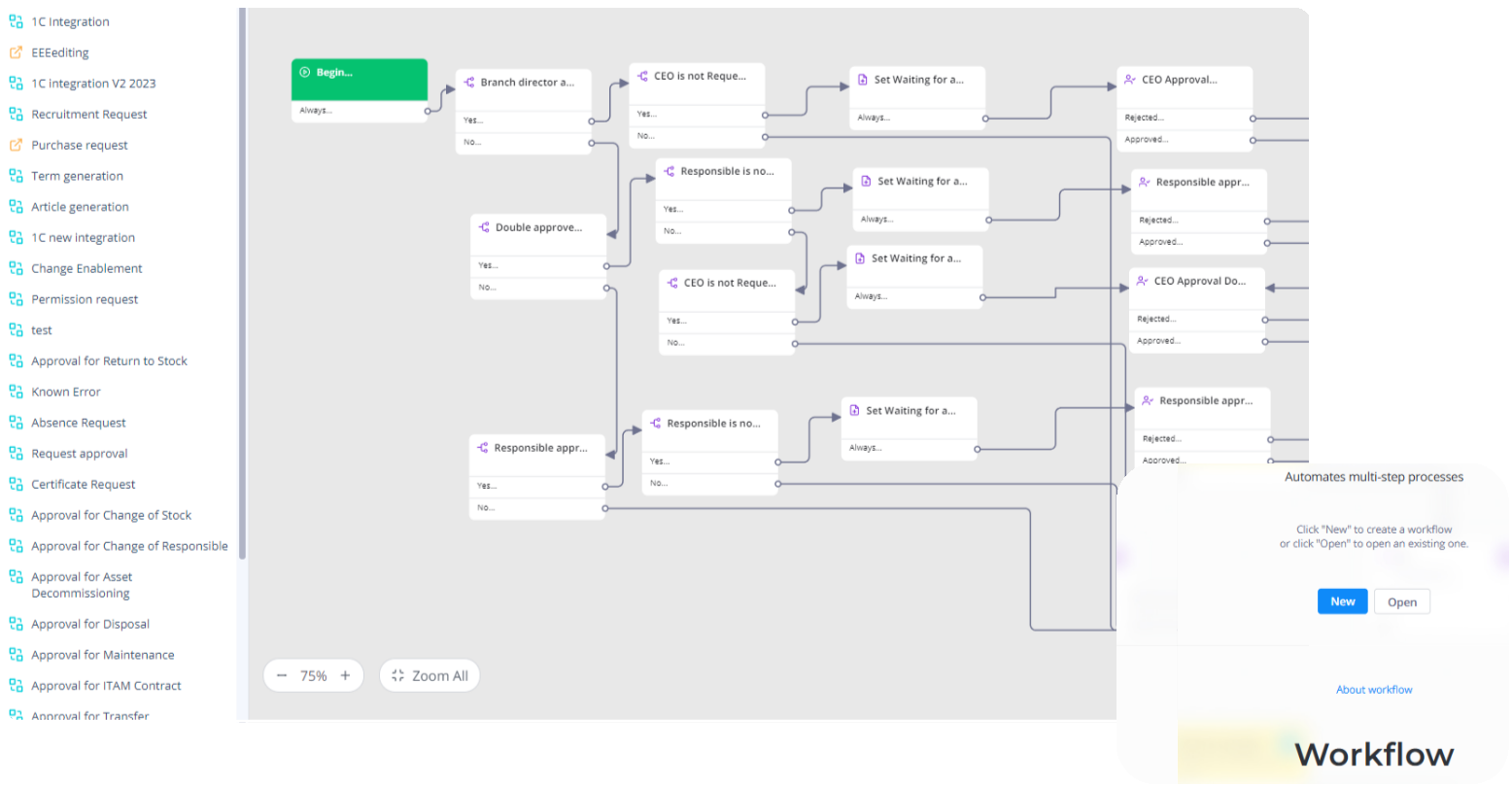
Automating Shared Services Centers (SSC):
- Centralized processing of requests from every division in the company.
- Unifying service processes across offices in different locations.
- Unified standards and metrics for service quality.
- Automating standard operations to cut operational costs.
- A transparent reporting system to control SSC work.
SimpleOne ensures seamless integration between all departments. For example, when a new employee is hired, HR creates a request that automatically triggers related processes in IT (setting up an account), the admin department (issuing a pass), and other services.
An Example of Using Request Management in SimpleOne
Let's look at an example of a medium-sized company with about 500 employees. They use SimpleOne to manage IT support and services for other departments. Here's how the ticketing system benefits them:
- Submitting a request: Say an employee can't connect to the VPN. They submit a support request through the self-service portal or a chatbot.

- Automatic categorization and assignment: The ticket is classified according to the rules and assigned to an executor. A built-in chatbot, trained on the knowledge base, helps define the type of inquiry more accurately and can even suggest a standard solution immediately. AI analyzes the text of the request, compares it with similar cases, and suggests optimal classification and solution. As data piles up, the quality of this automatic processing gets better and better.
- Resolution: The IT specialist determines the cause of the problem, fixes it, enters the info into the request card, and closes it.
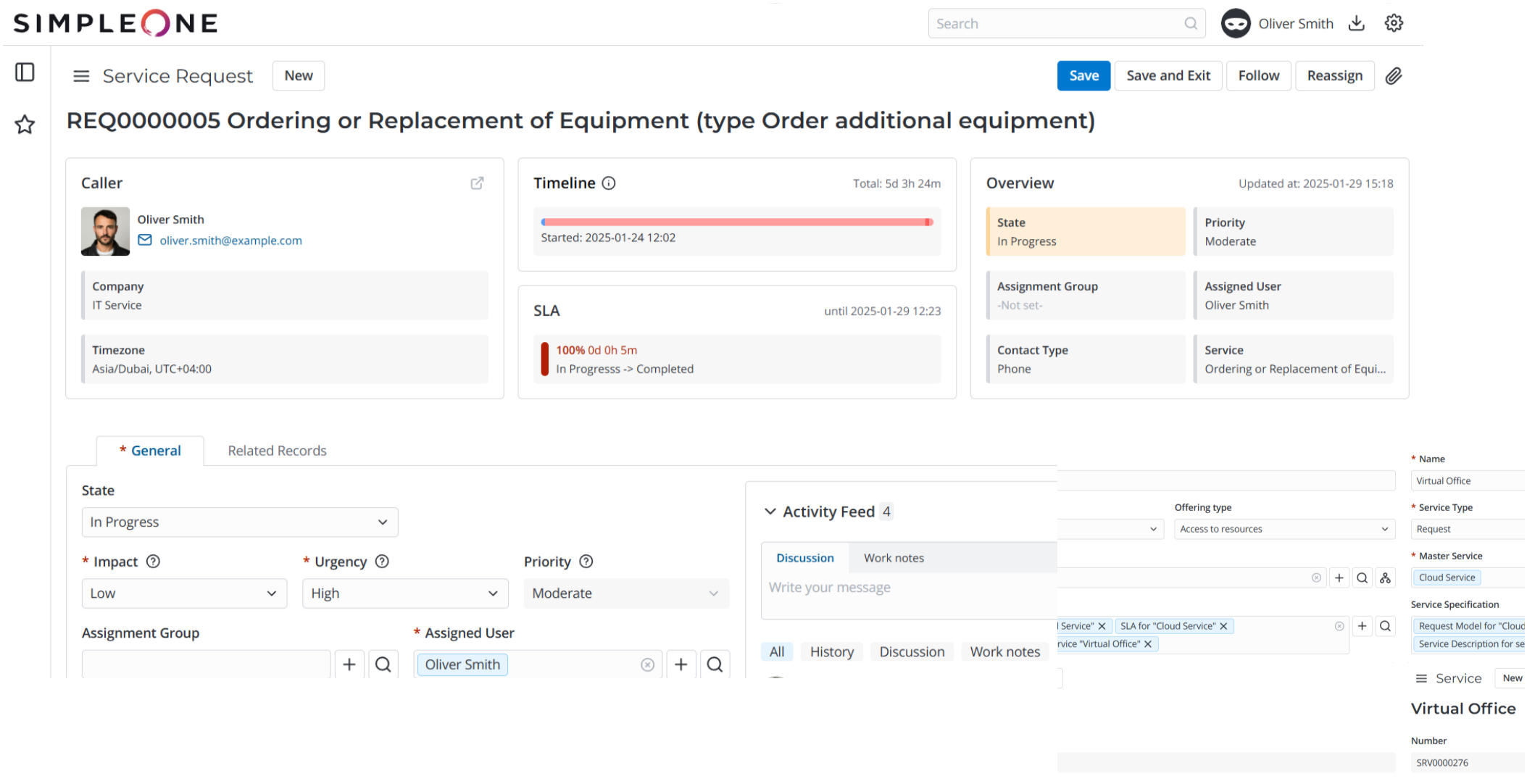
- Documenting the problem: The problem is entered into the knowledge base, and troubleshooting instructions are added so it can be solved faster next time.
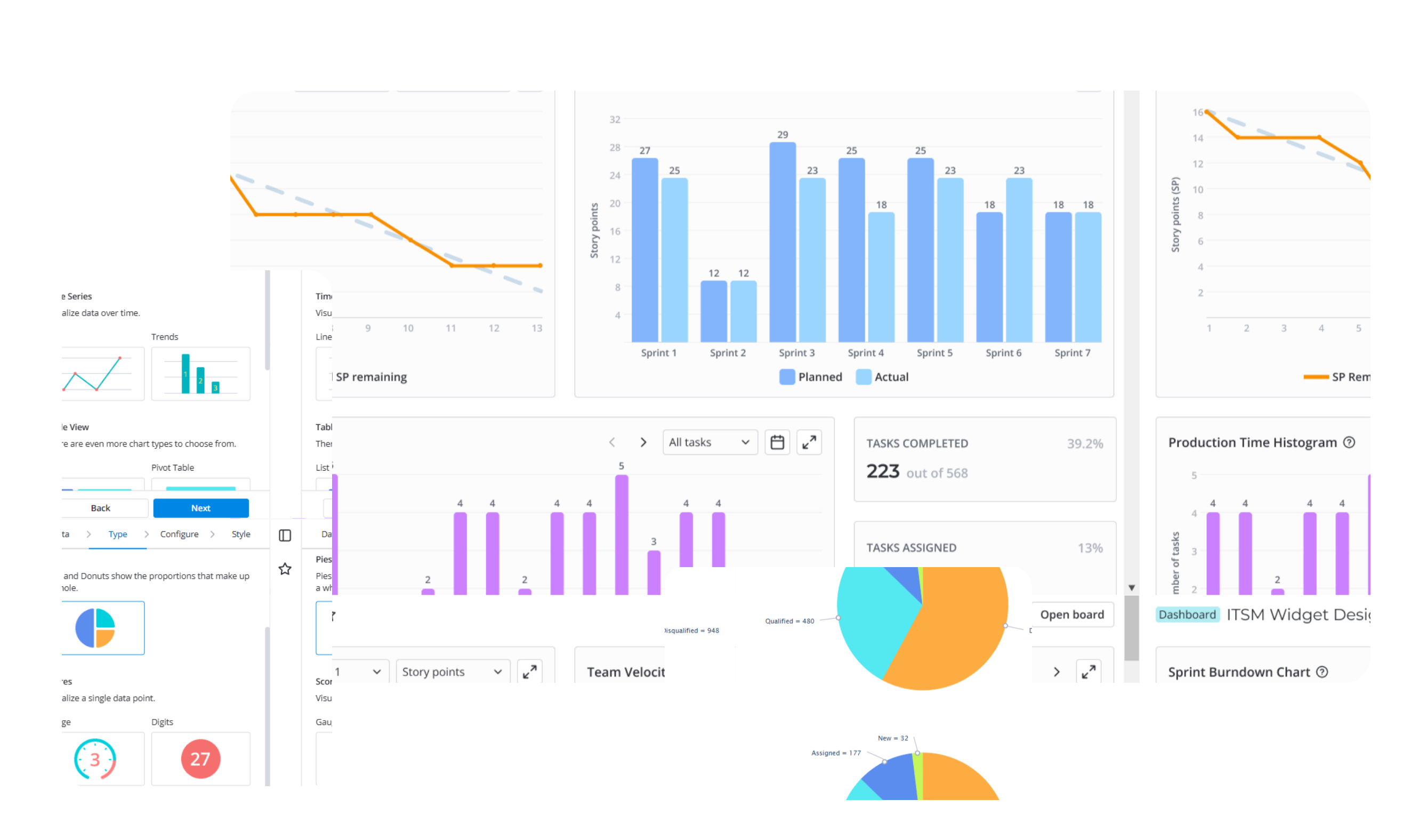
- Monthly analytics: At the end of the month, managers review reports showing the average resolution time and the number of specific incidents — like those VPN issues — to help improve network reliability.
How to Use SimpleOne Effectively for Request Management
To boost IT productivity and improve the user experience, try implementing these practices:
- Lean on automation to assign tickets, set incident priorities, and give users self-service options.
- Keep your knowledge base fresh by regularly updating documentation. This lets users find answers themselves and solve problems faster.
- Use analytics to improve service quality — analyze performance reports to find bottlenecks and track your progress.
- Encourage employees to use the service catalog and knowledge base. This cuts down on manual requests and optimizes your support resources.
How to Implement a Request System
Implementing a request system is a continuous process of improvement. To adapt to the changing needs of your company and the market, you need to be flexible.
- Start with the basics: Focus on the core functionality first: set up a service catalog, simple request forms, and basic routing. This gets the system up and running quickly so you can see initial results.
- Automate gradually: Start with automatic assignment and notifications, then slowly add more complex scenarios using the visual workflow builder.
- Build your knowledge base: Pay special attention to creating and maintaining an up-to-date knowledge base — it will lower the load on your support team and increase user satisfaction.
- Set up reporting and monitoring: Use SimpleOne's built-in analytics tools to track key indicators so you can spot bottlenecks and opportunities for improvement.
- Train and engage your team: Hold regular training for support specialists and users, and encourage the team to share experiences and best practices within the team.
- Collect and analyze feedback: Regularly ask users and support specialists what they think, and use that info to keep improving your processes.
- Integrate with other systems: Connect SimpleOne ESM with other corporate systems and SimpleOne solutions, like SimpleOne ITAM for assets, ITSM for IT services, or SDLC for development.
- Plan to scale: You can extend automation and the service approach to other departments like HR, accounting, and facilities — giving your business one unified system for handling services across the company.
Summary
«An ESM system simplifies the work of a modern company. It automates request processing, directs them to the right specialists, and keeps track of deadlines. SimpleOne brings all requests together in one digital space and lets companies start simple: setting up basic routing between departments, adding templates for standard requests, and building a knowledge base for self-solving problems. As your business needs grow, you can add new processes to the system, based on user experience and the real-world tasks of your departments.»Andrey Vishnyakov


