
A Single Front Door and Request Management Platform for Accounting
Move requests to accounting out of email and messengers into a single channel with required fields, automatic routing, and deadline tracking
Why accounting is always firefighting
Requests come in through email and messengers
Priorities are set by hand
Requests lack data, so specialists have to follow up
Work gets duplicated, and no one can see who has taken a task
Requests come in through email and messengers
Priorities are set by hand
Requests lack data, so specialists have to follow up
Work gets duplicated, and no one can see who has taken a task
The solution: a service approach
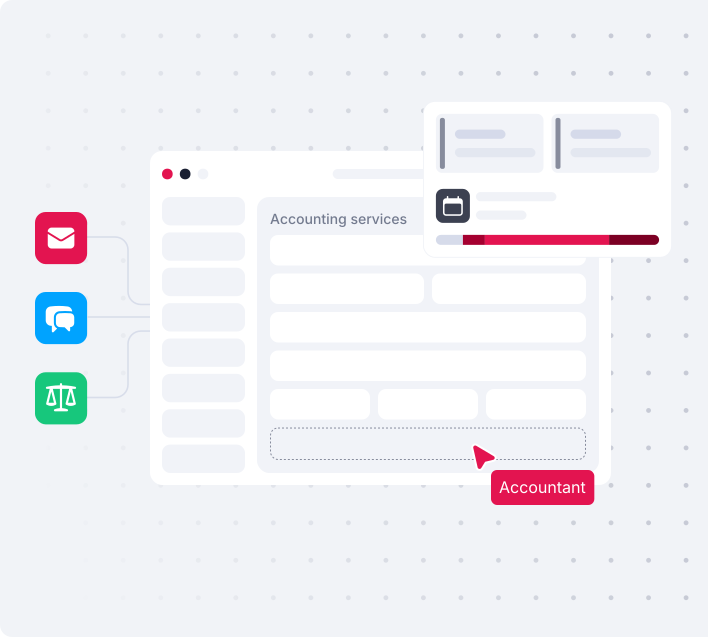
The service approach is the core of ESM (Enterprise Service Management). With ESM, every request to accounting is handled as a service with a requester, required data, an assignee, and a due date. All requests go through a single channel, are routed to specialists automatically, and are tracked at every stage.
Less manual work
Each request goes straight to the right specialist, so no one has to sort through a shared inbox anymore.
Fewer follow-ups
Required fields and a contract directory capture data when the request is created: tax ID, payment details, and payment terms fill in automatically
Better quality control
Employees and accountants see the request status and its SLA (service level agreement) due date. Managers see each specialist's workload and when the team needs more people.
What changes in accounting's daily work
Situation | Before | After |
|---|---|---|
| An invoice gets lost in email | The email gets buried, and three days later the supplier calls, threatening to stop shipments | Every email to the shared inbox becomes a request with an assignee and a due date |
| No one knows if an invoice is approved | The accountant sends emails to find out whether there is budget and whether the director signed off | The system checks the budget and sends the invoice to the department head for approval |
| Supporting documents are missing | No one asked the vendor for supporting documents in January, so in April accounting has to correct a tax filing | Once a service is delivered, the manager gets a task to request the documents, and the deadline is tracked |
| Errors in payment details | A wrong tax ID or an unreadable scan holds up payment, and the invoice goes to the back of the queue | The contract is added to the directory once, and payment details and amounts fill in automatically |
| Urgent document requests interrupt work | Every 15 minutes someone asks for an employment or income verification letter, and the specialist has to drop the report they are working on | Employees order documents through a catalog form and see the due date in the portal, with no need to call |
| An expense report is overdue | An employee came back from a business trip a month ago, and the accountant has to chase them | After a business trip request, the system creates a task to submit the expense report and tracks the deadline |
SimpleOne capabilities for accounting process automation
Accounting service catalog
Each standard request is set up as a service with a form, an assignee, and an SLA due date. Required fields are filled in when the request is created, so no follow-up is needed.

Automatic routing
An employee picks a service in the catalog, and the request goes straight to the right specialist. Accountants no longer have to dig for their requests in a shared inbox. Requests are distributed to working groups by function, for example:
- Payments and bank transactions
- Accounts payable and receivable
- Employee documents and payroll
- Expense reports and business travel
- Fixed assets

Approval automation
When someone creates a request, for example, to pay an invoice, an approval workflow starts automatically. The system checks the budget for the expense category and sends the request to the department head. The accountant sees the full approval history in the request.

Analytics and SLA tracking
The system records data on every request and builds reports and dashboards from it. They show how many requests come in for each area, how the workload is spread across specialists, and when it peaks, for example, at month-end and quarter-end. Separate metrics show average handling time and the share of requests that breached the SLA.

Three steps to an accounting team that isn't always firefighting
Step 1 Take inventory of requests
| Collect statistics: how many requests, of what types, and from which departments |
| Group requests by area |
| Find the highest-volume processes and the ones that need the most follow-ups |
| Pick the requests that are easiest to standardize |
Step 2 Standardize incoming data
| Required fields without which a request can't be processed |
| Fields that fill in automatically, such as vendor payment details pulled from the contract directory |
| Hints that help employees fill in the form correctly |
Step 3 Launch a single request channel
| Create a service catalog |
| Set up automatic routing to working groups |
| Set an SLA for each request type |
| Train employees to use the new system |
FAQ: the service approach in accounting
What is the service approach in accounting?
Every request to accounting is handled as a service with a set of parameters: requester, required data, assignee, and due date. All requests go through a single channel, are routed to specialists automatically, and are tracked at every stage. The approach grew out of IT and is called ESM, or enterprise service management.
When does accounting need ESM?
Typical signs: requests arrive in a shared inbox and in messengers, routing a request can take longer than the work itself, specialists duplicate each other's work, and expense reports and supporting documents come in late. Accounting is a good fit for ESM: requests repeat, data requirements are clear, and deadlines are strict.
How does the service approach benefit accounting?
Requests get handled faster. Required fields cut down on follow-ups, visible statuses eliminate duplicate work, and managers get the numbers they need to balance the workload and justify new hires.
How will work change for employees in other departments?
They pick a service in the catalog, fill in a form, and immediately see the request status and SLA due date. No more calling to ask "When will it be ready?" People who are used to email don't have to change their habits: emails to the shared inbox are converted into requests automatically.
Where do you start with ESM in accounting?
With an inventory of one month's requests. Next, you standardize incoming data and launch a single request channel with a service catalog, routing, and SLAs. Faster handling and fewer follow-ups become noticeable within a few months of launch.